
What is SCORM? How RTOs Can Deliver Standardised eLearning Content
Learn what SCORM is, how it works, and how RTOs can effectively use it to deliver consistent, trackable eLearning that supports compliance and outcomes.

Subscribe to receive the latest blog posts to your inbox every week.

Online and blended delivery is now standard practice across the Australian VET sector. More RTOs are moving training content online to reach learners in regional areas. Others need flexible study options or less face-to-face delivery. When sourcing eLearning content, one term comes up quickly: SCORM.
Many RTO managers encounter the term without much explanation. If that's you, this guide is a good starting point. Understanding SCORM matters if you're delivering training online.
This guide explains what SCORM is and how it works. It covers what a SCORM file contains and how it works. The goal is consistent, trackable eLearning that supports compliance and learner outcomes.
What Is SCORM?
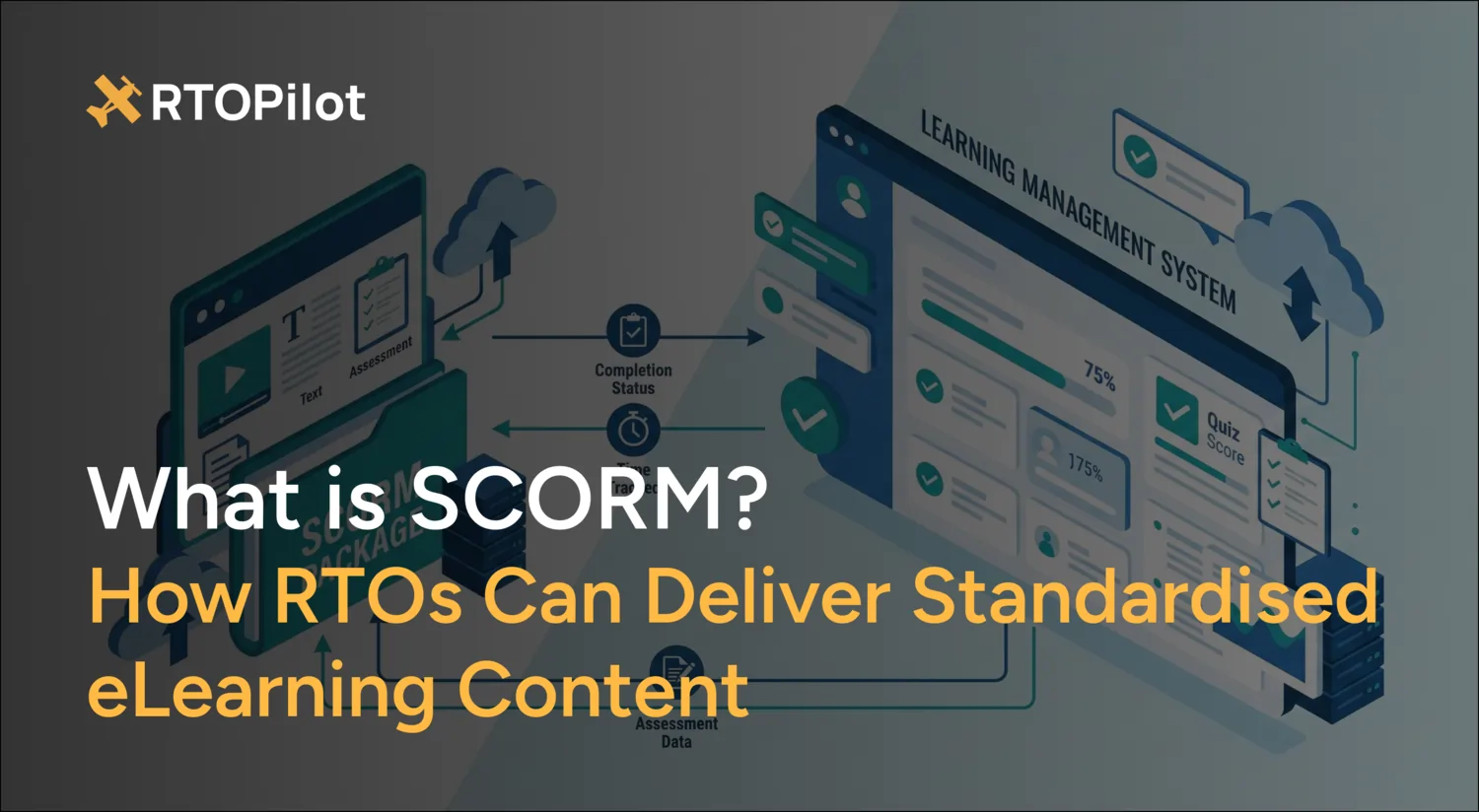
SCORM stands for Sharable Content Object Reference Model. It's a set of technical standards that defines how eLearning content is packaged, delivered, and tracked within a Learning Management System (LMS).
In practical terms, SCORM lets eLearning content and an LMS communicate with each other. When a learner completes a SCORM module, the LMS records their activity. It captures time spent, assessment scores, and whether they passed or completed the module.
Without SCORM, content would need to be built for each specific platform. SCORM solves this with a universal framework for eLearning. Content built to the SCORM standard runs on any SCORM-compliant LMS. It does not matter who created it or which platform hosts it.
Think of SCORM like a USB standard. A USB drive works in any device with a USB port. A SCORM package works the same way across any compatible LMS.
A Brief History of SCORM
SCORM was developed in the early 2000s by Advanced Distributed Learning (ADL). ADL was a US Department of Defense initiative. It was created to solve a practical problem. Organisations were investing heavily in eLearning content tied to specific platforms. This made content expensive to reuse, repurpose, or move between systems. SCORM introduced a common standard to fix that.
The most widely used versions of SCORM are:
- SCORM 1.2 – Released in 2001, it remains the most widely supported version across LMS platforms. Many authoring tools still default to SCORM 1.2 to ensure maximum compatibility.
- SCORM 2004 – An updated version offering more robust tracking and sequencing features. Its uptake has been limited due to less universal LMS support.
A newer standard called xAPI (Experience API) offers more flexibility than SCORM. It's sometimes referred to as Tin Can API. xAPI can track a wider range of learning activities, including offline and mobile learning. Despite this, SCORM remains the dominant standard in the VET sector. It's also the most widely supported format across LMS platforms used by Australian RTOs.
What Is a SCORM File?
A SCORM file, more accurately called a SCORM package, is a compressed .zip file. It contains all the components of a single eLearning module or course. Everything is packaged in a standardised, consistent way.
Inside a SCORM package, you'll typically find:
- HTML files – the content pages the learner sees and interacts with
- Media files – images, audio, video, and animations used in the content
- JavaScript files – code that handles communication between the content and the LMS
- Manifest file (imsmanifest.xml) – the key file that tells the LMS how the content is structured, the order of the modules, and how to track learner progress
- CSS files – styling that controls how the content looks
When you upload a SCORM package to a compatible LMS, the system reads the manifest file. It then understands the content structure and sets up tracking. From there, it's ready to record learner activity.
From the learner's perspective, none of this is visible. They simply launch the module and complete the content. Any activities or assessments are handled the same way. The LMS quietly records their progress in the background.
How SCORM Works in Practice
Here's a simplified walkthrough of what happens when a learner accesses SCORM content through an LMS:
1. The learner launches the module from the LMS. The LMS creates a record for that learner's attempt and opens the SCORM content in a browser window or frame.
2. The SCORM content communicates with the LMS using a standardised API (Application Programming Interface). This is the technical handshake that allows data to flow between the content and the platform.
3. As the learner progresses, the content sends data back to the LMS. It records time spent, pages viewed, and quiz scores. It also captures whether the learner has completed or passed the module.
4.When the learner exits or completes the module, the LMS stores the final status, typically as:
- Passed / Failed – when there’s an assessment with a pass mark
- Completed / Incomplete – when completion is based on finishing the content rather than passing a test
- Not Attempted – the learner hasn’t started the module yet
5. The RTO can then report on learner progress through the LMS, seeing who has completed what, when, and with what result.
For RTOs, this tracking is particularly valuable. It provides evidence of learner engagement and progress. This supports your assessment process and compliance records. It also helps you monitor learners who may be falling behind.
Why SCORM Matters for RTOs
RTOs delivering online or blended training have specific reasons to care about SCORM. It's not just about the convenience of a universal standard.
Consistent Content Delivery
SCORM ensures every learner has the same content experience. It doesn't matter when they access it or what device they use. For RTOs, consistency in training delivery is a key requirement under the Standards for RTOs 2025. SCORM helps demonstrate that consistency.

Trackable Learner Engagement
One challenge of online delivery is proving learners have actually engaged with the content. SCORM tracking provides time-stamped records of learner activity. It captures what they accessed, how long they spent, and their assessment scores. This data can support your evidence of training delivery and learner participation.
Reusability Across Platforms
If you develop SCORM content now and decide to change your LMS later, your content moves with you. You're not locked into a single platform or forced to rebuild your modules from scratch every time you update your systems. This is a significant long-term efficiency gain for any RTO investing in eLearning content development.

Content Sourcing Flexibility
Because SCORM is a universal standard, RTOs can use pre-built content from third-party libraries. This content loads straight into your LMS without custom development. For RTOs without in-house resources, this opens up access to a wide range of professionally developed materials.
SCORM and Your LMS: What to Look For
Not all LMS platforms handle SCORM equally well. When evaluating an LMS for your RTO, or checking if your current system is fit for purpose, consider these key SCORM-related questions:
- Which SCORM versions are supported? At minimum, your LMS should support SCORM 1.2. Support for SCORM 2004 and xAPI is a bonus.
- How is SCORM tracking data displayed? Can you easily see completion status, time spent, and assessment scores at both the individual learner and cohort level?
- Can you upload and manage SCORM packages easily? Managing content should be simple. This includes uploading new packages, updating existing ones, and organising content by course or qualification.
- Does the LMS support SCORM alongside other content types? Most RTOs use a mix of content such as SCORM modules, PDFs, videos, and live sessions. Your LMS should handle all of these within a single course structure.
- How does SCORM data integrate with your broader student management? Ideally, tracking data from SCORM content should connect to your student records, rather than sitting in a separate system.
SCORM Limitations RTOs Should Know About
SCORM is a powerful and widely used standard, but it has some limitations that RTOs should consider before relying on it fully:
- Requires an internet connection – Standard SCORM content runs in a browser and needs a live connection to communicate with the LMS. For learners in areas with poor connectivity, this can be a barrier, although some LMS platforms offer offline solutions.
- Tracking is module-level, not granular – SCORM records completion and scores but has limits. It doesn't track detailed learner actions within a module. Newer standards like xAPI offer more granular tracking. For most RTOs this is sufficient, but it's worth knowing if you need detailed learning analytics.
- Content can become outdated – SCORM packages are static files. If you need to update content, for example when a unit of competency changes, you must rebuild and re-upload the package. This is manageable but should be part of your content maintenance plan.
- Not a substitute for assessment – SCORM quizzes and knowledge checks can support learning but don't replace formal assessment. Under the Standards for RTOs 2025, competency must be assessed through valid and reliable methods. SCORM content supports the learning journey but cannot determine competency on its own.
How RTOPilot Supports SCORM Delivery
RTOPilot’s Learning Management System is built for SCORM delivery and designed for Australian RTOs. It gives you a single platform to manage student administration and online training.
With RTOPilot’s LMS, you can:
- Upload and manage SCORM packages directly within the platform
- Track learner engagement and completion with clear, easy-to-read reporting
- Connect eLearning activity to student records, keeping completion data alongside enrolment, assessment, and compliance records
- Deliver blended learning programs combining SCORM content with face-to-face sessions, assessments, and resources
- Support AVETMISS reporting, with delivery data flowing directly from LMS activity into your student management records
For RTOs moving into online or blended delivery, having a single platform that handles eLearning content, student records, compliance, and reporting provides a major operational advantage.
Frequently Asked Questions
SCORM (Sharable Content Object Reference Model) is a technical standard that allows eLearning content to communicate with a Learning Management System (LMS). It ensures courses work consistently across different platforms.
SCORM allows training content to be reused, tracked, and delivered across multiple LMS platforms. It standardises how learner progress, scores, and completion data are recorded.
SCORM 1.2 is the most widely supported version and works well for basic tracking. SCORM 2004 adds advanced features like sequencing rules and more detailed reporting but is not supported by every LMS.
Only if the LMS supports SCORM. Most modern LMS platforms do, but compatibility can vary depending on the SCORM version and how the course was built.
SCORM packages are typically created using authoring tools such as Articulate Storyline, Adobe Captivate, iSpring, and Lectora, which allow courses to be exported as SCORM-compliant files.

Is your RTO future-ready?
See how RTOPilot can help.
Designed to help you spend less time and save money in running your RTO.
